

Once you have a BeatPass account, you can sign in with your email and password or with Google if your account uses Google sign-in.Documentation Index
Fetch the complete documentation index at: https://docs.beatpass.ca/llms.txt
Use this file to discover all available pages before exploring further.
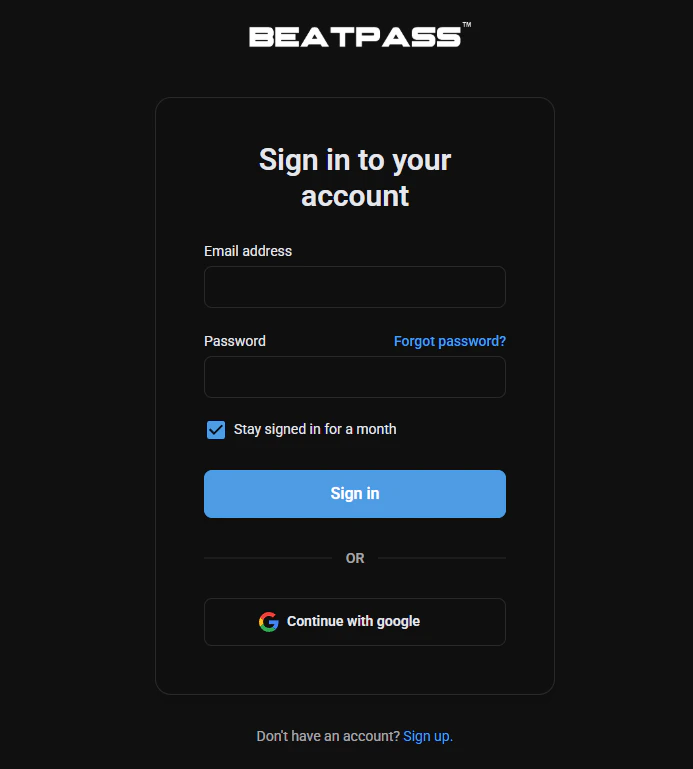
Standard Login
Go to the login page
Click Sign in in the top navigation bar.
Google Login
If your account is connected to Google, you can also use Continue with Google on the login page.Two-Factor Authentication
If 2FA is enabled on your account, BeatPass will ask for your authenticator code after you enter your password.You can manage 2FA from account settings.
Troubleshooting
I forgot my password
I forgot my password
Click Forgot password? on the login page to request the password email.Learn more about password reset
My password is not working
My password is not working
Confirm you are using the right email address, check for typos, and make sure Caps Lock is off. If needed, request a reset link.
I signed up with Google
I signed up with Google
Use Continue with Google and sign in with the same Google account you connected to BeatPass.
I see an email-verification screen
I see an email-verification screen
BeatPass currently requires email confirmation. Open the verification email or use Resend email on the verification page.
I keep getting logged out
I keep getting logged out
Use Stay signed in for a month on trusted devices and make sure your browser is not clearing cookies automatically.
Account Security Tips
- Use a strong, unique password
- Enable two-factor authentication
- Do not share your login credentials
- Log out on shared devices
- Review your active sessions in account settings
Don't have an account?
Create a free BeatPass account to get started.